
other · Articles
PTZ Cameras for Streaming and Events
PTZ Cameras for Streaming and Events
 Transact Shopping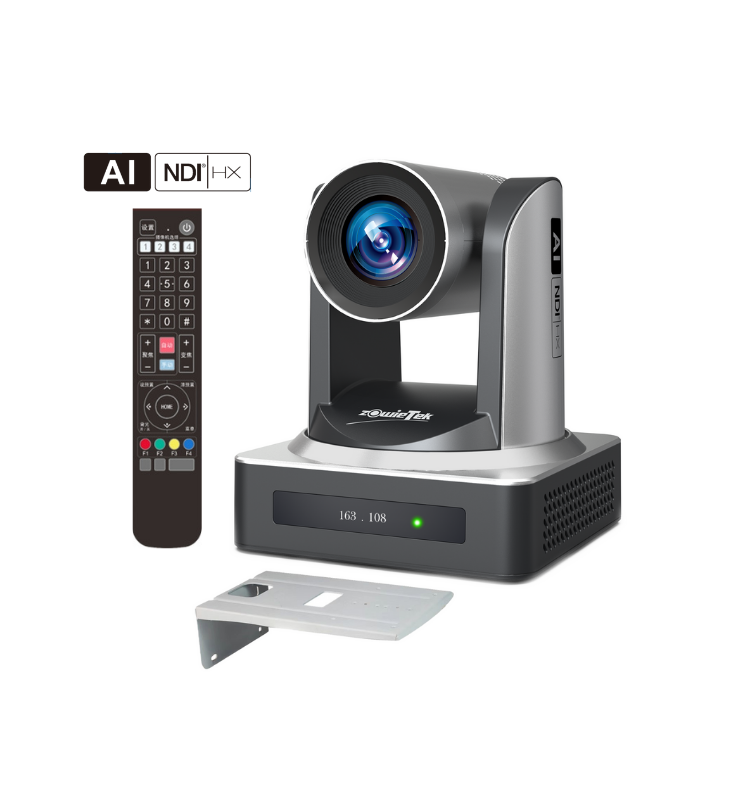
TECH · GLOBAL
PTZ Cameras for Streaming and Events
What PTZ adds, optical zoom and sensors, control protocols and connections
A pan-tilt-zoom camera moves under remote control, which lets one person cover an event that would otherwise need several operators. The specifications that matter are not the headline ones.
Optical zoom is the only zoom
Optical zoom moves glass and keeps full resolution. Digital zoom crops the sensor and throws detail away, and combined figures quoted in marketing mix the two.
Look for the optical figure alone, and remember that a long zoom on a small sensor performs poorly in low light.
Sensor size
Larger sensors gather more light, which matters enormously in halls, churches and conference rooms that are darker than they appear. A camera that looks excellent in a bright showroom can be noisy in a real venue.
Control protocols
VISCA, PELCO and ONVIF are the common standards, and a controller must speak the same one as the camera. Check compatibility before buying either half.
Presets that recall a framed shot instantly are what make one-operator work possible. Check how many presets are supported and how smoothly the camera moves between them.
Connections
SDI runs long distances over coax reliably and is the broadcast standard. HDMI is simple and limited in cable length. NDI and other network video carries video, control and power over one network cable.
Power over Ethernet removes a separate power supply, which matters for a ceiling mount.
Mounting
Fix into structure rather than a ceiling tile, and plan the cable route before drilling. Check whether the camera can be inverted and whether the image flips automatically.
Streaming workflow
Decide early whether the camera feeds a computer or a hardware encoder, since that determines the connection and the software. Hardware encoders are considerably more reliable for unattended events.
Test the upload bandwidth at the venue in advance rather than assuming, since venue wifi is frequently unusable for live video.
Audio
Viewers tolerate imperfect video and stop watching bad audio within seconds. Take audio from the venue mixing desk rather than the camera microphone wherever that is possible.
Framing and movement
Slow, deliberate moves look professional and fast ones look amateur. Use presets rather than panning live wherever possible, and avoid zooming during a shot.
Leave headroom and look room when framing a speaker, and frame within the zoom range rather than at the very end of it.
Practical
Set white balance manually rather than leaving it automatic, since it shifts when a camera pans between windows and stage lighting.
Test the whole chain end to end before the event rather than on the day itself.
WHERE TO BUY
Ready to shop Zowietek? Use the link below to visit the official store.
→ Shop Zowietek — official site
Visit this site