VideoProc · Articles
The Only Video Tool Pushing GPU Acceleration All the Way Through
The Only Video Tool Pushing GPU Acceleration All the Way Through
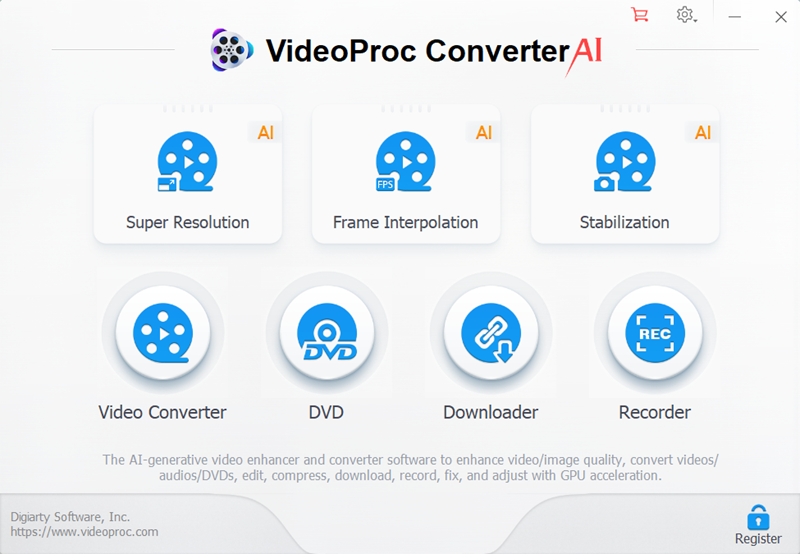
Most video editing software relies primarily on CPU power, leaving genuinely powerful GPUs sitting largely idle during processing. VideoProc Converter takes a deliberately different approach, pushing GPU acceleration through every stage of the video pipeline rather than just part of it.
Level-3 hardware acceleration across the entire pipeline
VideoProc specifically achieves Level-3 Hardware Acceleration — offloading video decoding, processing, and encoding entirely to the GPU rather than just one stage, a detail independent reviewers specifically note makes it the only program utilising full GPU acceleration throughout the complete 4K Ultra HD processing pipeline.
A genuinely dramatic real-world speed increase
This full GPU offloading delivers up to a 47x real-time speed increase in certain benchmarks, alongside a significant reduction in CPU usage — a substantial, measurable performance gain rather than a marginal improvement, particularly noticeable when working with large 4K or 8K files.
AI-powered Super Resolution for genuine footage restoration
Beyond conversion speed, VideoProc's AI Super Resolution feature can upscale old, low-resolution footage up to 4K or 8K with AI-driven clarity — genuinely breathing new life into grainy, low-quality video rather than simply stretching the existing resolution.
Broad GPU and platform compatibility
The software fully leverages Intel, AMD, and NVIDIA GPUs, alongside Apple's M1 through M5 chip series (including Pro, Max, and Ultra variants) — meaning the acceleration benefits apply regardless of which specific hardware manufacturer a user's system is built around.
Genuinely comprehensive editing tools beyond pure conversion
Beyond format conversion, VideoProc includes cutting, cropping (with 17+ aspect ratio presets), splitting across 420+ formats, rotation, colour adjustment, and video stabilisation — covering the practical editing needs most users actually have, rather than being a conversion-only tool.
Minimal quality loss during conversion
Content converted through VideoProc retains approximately 98% of the original video quality — a concrete, specific figure that lets users directly judge the genuine trade-off between file size reduction and visual fidelity.
Specifically built for GoPro and action camera footage
VideoProc is specifically skilled at processing GoPro 4K, HDR, slow-motion, and SuperView video formats — reflecting genuine attention to the specific footage types action camera and drone users commonly need to process.
An honest, balanced consideration from independent reviews
It's worth being direct: at least one independent review notes VideoProc's clip-based editing approach limits complexity for more advanced, multi-layered editing projects — meaning it's genuinely strong for conversion, enhancement, and straightforward editing tasks, but users needing complex timeline-based editing with transitions and effects layering should weigh this against more fully-featured (and more expensive) professional editing software.
At a glance
Product: ** VideoProc Converter (AI)
Developer: ** Digiarty Software
Core technology: ** Level-3 full GPU hardware acceleration
AI features: ** Super Resolution, Frame Interpolation, Stabilization
Format support: ** 420+ output formats
Compatible GPUs: ** Intel, AMD, NVIDIA, Apple M1-M5 series
Who it suits
VideoProc Converter suits anyone wanting genuinely fast, GPU-accelerated video conversion and enhancement — particularly those working with large 4K/8K files or restoring older, lower-resolution footage — without needing a steep learning curve. Anyone needing complex, multi-layered timeline editing with advanced transitions and effects should weigh VideoProc's clip-based editing approach against more fully-featured professional editing software, since independent reviews note this specific limitation compared to dedicated editing suites. Explore VideoProc Converter — **
Visit store