
other · Articles
Prebuilt Gaming PCs Versus Building Your Own
Prebuilt Gaming PCs Versus Building Your Own
 Transact Shopping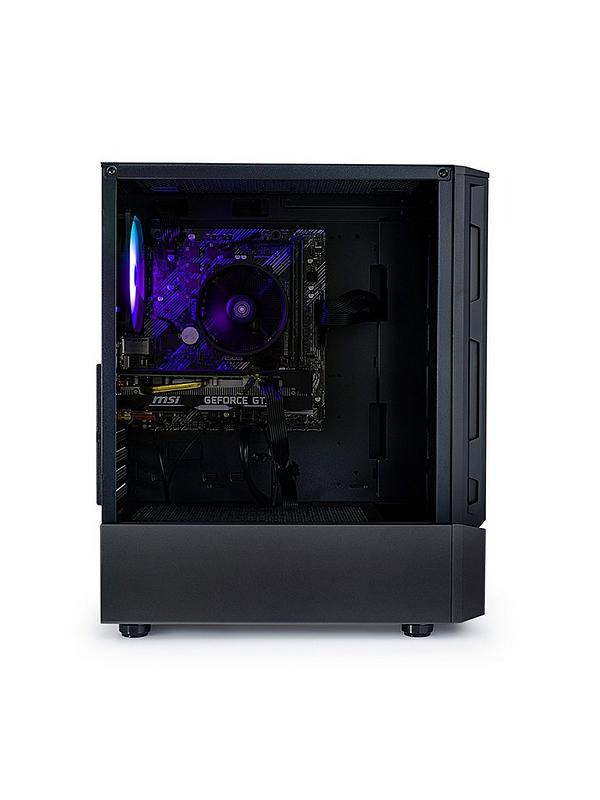
TECH · GLOBAL
Prebuilt Gaming PCs Versus Building Your Own
Where the money goes, the parts to check, warranty and upgrading later
Building a PC saves money and takes time and nerve. A prebuilt removes both, and the value depends entirely on which components the builder economised on.
Where builders cut costs
The power supply, the motherboard, the case airflow and the storage. These are the parts a buyer does not compare, and they determine reliability and upgrade potential.
Ask for the exact make and model of the power supply and its efficiency rating. A cheap unit powering an expensive graphics card is the single worst compromise in a build.
The parts list should be specific
A listing saying 16GB RAM and 1TB SSD is telling you very little. You want speeds, whether storage is NVMe or SATA, the motherboard chipset and the cooler model.
Vague specifications usually mean the parts are not worth naming.
Balance
For gaming, the graphics card determines frame rate more than anything else, and a machine with a strong processor and a weak card is badly balanced. For editing and compiling, the reverse.
What prebuilt genuinely buys
A single warranty covering the whole system, assembly, testing, an operating system installed and someone to call. For many people that is worth the premium.
Self-building means each component's warranty is separate and diagnosing a fault is your problem.
Upgrading later
Check the case size, the number of drive bays, whether memory slots are free and whether the power supply has headroom for a larger graphics card. Some prebuilts use proprietary parts that cannot be replaced.
Peripherals and monitor
A good monitor improves the experience more than the next tier of graphics card, and it lasts through several machines. Match the resolution and refresh rate to what the system can actually drive.
Budget for a monitor, keyboard, mouse and headset separately rather than assuming they are included.
Delivery
Inspect on arrival and run it for a few hours promptly rather than weeks later, since transit damage to a graphics card is not always visible.
Running costs and noise
A high-end system draws real power under load, which adds up over a year of evening use. Check the idle power too, since a machine left on constantly costs more than one shut down.
Fan noise varies enormously between builds. A case with good airflow and larger slower fans is quieter than a small case working hard.
Software
Check whether an operating system licence is included and genuine, and remove any pre-installed software you did not ask for before first use.
Buying sensibly
Price the same parts individually to see what the assembly premium actually is. Check return terms and what happens if a component fails in year two.
Clean the dust filters every few months, which does more for temperatures than anything else.
WHERE TO BUY
Ready to shop Stormforce Gaming? Use the link below to visit the official store.
→ Shop Stormforce Gaming — official site
Visit this site