
electronics · Articles
Choosing a Graphics Card
Choosing a Graphics Card
 Transact Shopping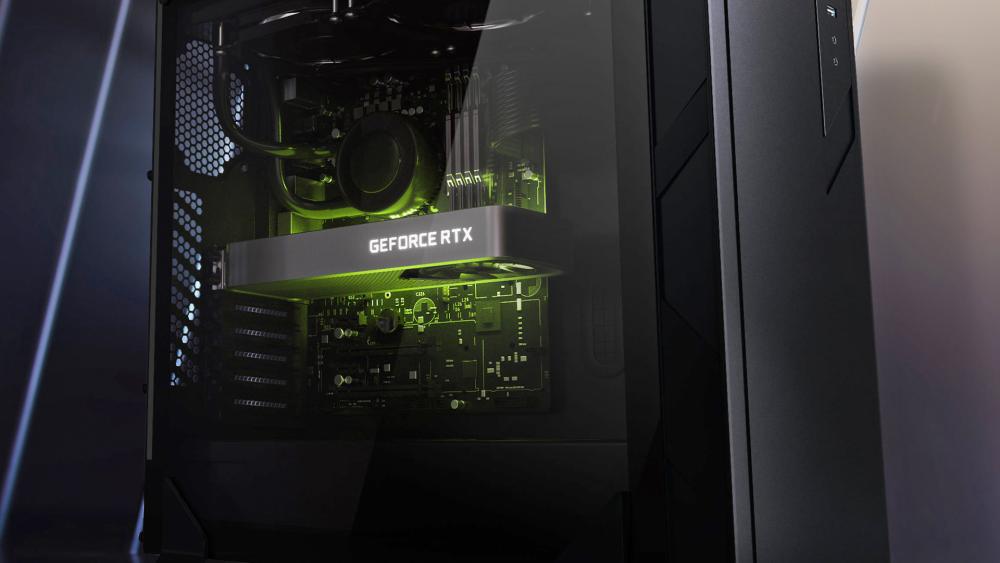
TECH · UNITED KINGDOM
Choosing a Graphics Card
What actually determines frame rate, memory, power and physical fit
A graphics card is usually the most expensive part of a gaming machine and the one most likely to be bought on the wrong criteria.
Match it to the screen
There is no point buying a card that can drive 4K at high frame rates if the monitor is 1080p, and no point in a high refresh monitor the card cannot feed. The two are bought together.
Look at benchmarks at your actual resolution rather than the headline figures, since the gap between cards changes enormously between 1080p and 4K.
Memory matters at high resolution
Video memory becomes the limiting factor at 4K and with high-resolution textures. 8GB is workable at 1080p, and 12GB or more is the sensible floor for higher resolutions and for anything involving large models or video work.
Power supply
Check the manufacturer's recommended wattage and the specific connectors required. Modern high-end cards need dedicated connectors, and adapters are a common source of problems.
Seat the power connector fully. Partially inserted connectors have caused melted plugs on some card generations.
Physical fit
Cards have grown enormously. Check the length against your case, the width in slots, and whether it fouls drive bays or front radiators. Heavy cards sag, so a support bracket is worth having.
Cooling and noise
Different manufacturers put different coolers on the same chip, which changes temperatures and noise considerably. Reviews measuring noise tell you more than the specification.
Drivers and settings
Install the manufacturer's current driver rather than whatever Windows supplies, and update occasionally rather than constantly. Most stability problems after an upgrade are driver related.
Upscaling and frame generation features can add considerable performance at a small visual cost, and are worth enabling before buying a bigger card.
Selling the old one
Cards hold value reasonably well. Clean it properly, photograph it honestly and keep the original box, all of which make it considerably easier to sell.
Balance in the machine
A powerful card paired with an old processor produces a bottleneck, where the processor cannot feed the card fast enough. That matters most at lower resolutions, where the processor does proportionally more work.
Check whether your power supply and case airflow are adequate before upgrading, since both frequently need replacing alongside.
Warranty
Check the warranty length and whether it transfers on resale, and keep the receipt and the box together.
Buying sensibly
Previous-generation cards at reduced prices frequently beat new lower-tier models. Second-hand cards are cheaper and carry the unknown of how hard they were run.
Clean the case dust filters every few months, which does more for temperatures than anything else.
WHERE TO BUY
Ready to shop Box.co.uk? Use the link below to visit the official store.
→ Shop Box.co.uk — official site
Visit this site