
other · Articles
Laptops for Photo and Video Editing
Laptops for Photo and Video Editing
 Transact Shopping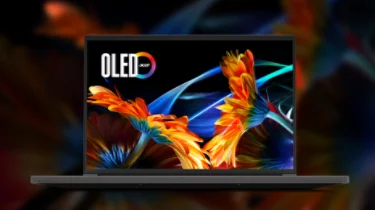
TECH · GLOBAL
Laptops for Photo and Video Editing
What actually matters, the screen, memory and storage, and thermals
Creative work stresses different parts of a computer from office work, and the specifications that matter are not the ones usually advertised.
The screen comes first
Colour accuracy matters more than anything else for photo work. Look for close to full sRGB coverage as a minimum, and near-full DCI-P3 for video. A factory calibration report is a genuine advantage.
Check brightness and whether the panel is matte, since a glossy screen in a bright room makes accurate judgement impossible. Calibrate periodically with a hardware device.
Memory and storage
16GB is a working minimum and 32GB makes a real difference with large files and layered documents. Check whether memory is soldered.
A fast internal drive for the working project and external drives for the library. Video in particular fills storage faster than anyone expects, so plan the whole workflow rather than the laptop alone.
Processor and graphics
Video editing benefits from hardware encoding and a discrete graphics chip; photo editing depends more on processor and memory. Match the machine to which you actually do.
Thermals
Sustained export work heats a laptop for many minutes, and a thin chassis throttles. Reviews measuring sustained performance tell you more than a specification sheet.
Ports and colour management
Card readers, enough USB-C bandwidth for fast external storage, and a display output that carries your colour profile.
Calibration and colour
A hardware calibrator is inexpensive and is the difference between prints matching the screen and not. Recalibrate every month or two, since panels drift.
Work in a consistent room light rather than judging colour in changing daylight.
Software costs
Editing software is mostly subscription now, so include it in the budget and check what happens to your files if the subscription lapses.
Working away from a desk
Battery life under editing load is short, and colour judgement in changing daylight is unreliable. Cull and back up on location, and do the colour work at a desk with a calibrated screen.
Carry a card reader and a second copy of every card before formatting anything.
Buying sensibly
Previous-generation machines frequently do the same work at a considerable discount, and memory matters more than the newest processor.
Storage strategy
Working files on a fast internal drive, the library on external drives, and a copy off-site or in the cloud. Label drives and record what is on each, since an unlabelled shelf of disks is unusable.
Check drives periodically, since they fail silently when unused.
Check the warranty covers on-site repair if the machine is used for paid work.
Backups
Three copies, two kinds of media, one off-site. Creative work is irreplaceable and drives fail without warning.
WHERE TO BUY
Ready to shop Acer IE? Use the link below to visit the official store.
→ Shop Acer IE — official site
Visit this site