
accessories · Articles
Screen Protectors and Phone Repairs
Screen Protectors and Phone Repairs
 Transact Shopping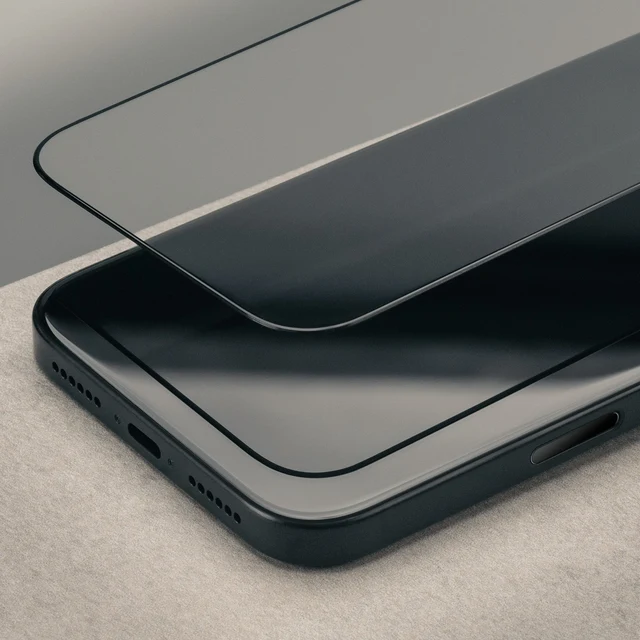
TECH · GLOBAL
Screen Protectors and Phone Repairs
What protectors do, fitting one, repair costs and making a phone last
Screens are the most commonly damaged part of a phone and the most expensive to replace, which makes prevention unusually worthwhile.
What a protector does
Tempered glass absorbs and spreads a point impact and takes the scratches that would otherwise reach the screen. It does not prevent a screen cracking in a hard drop onto a corner, which is what a case is for.
Together they prevent the majority of damage. Neither helps if the phone lands face down on gravel from head height.
Choosing one
Check it is cut for your exact model, that it does not interfere with the in-display fingerprint reader, and whether it is a full-adhesive design, which is more reliable than edge-glue.
Privacy and matte finishes both reduce brightness and clarity, which is a trade rather than a free addition.
Fitting one
Clean the screen thoroughly, remove dust with the supplied sticker in a steamy bathroom where the air is settled, and align before lowering it. Bubbles at the edges mean dust underneath rather than a fitting error.
Repair costs
Compare the manufacturer's price against an independent repairer, and note that a third-party repair may affect a warranty or water resistance. Right to repair rules in the UK and EU have improved parts availability.
A cracked screen left unrepaired lets in moisture and worsens.
Cases
A case with a raised lip around the screen and reinforced corners does most of the protective work, since corners take the impact in a drop. Slim cases are mostly cosmetic.
Check the case does not block wireless charging or magnetic attachment if you use either.
Water damage
Water resistance ratings degrade with age and after repairs. If a phone gets wet, power it off, do not charge it, and dry it slowly — rice does nothing useful.
Backups
A phone can be replaced and photographs cannot. Back up to two places and check it is actually working.
Selling or passing a phone on
Sign out of accounts, remove any activation lock and factory reset it, since a reset alone does not release an account lock and makes the phone useless to a buyer.
Remove the SIM and any memory card, and wipe the device rather than deleting files.
Battery health
Heat degrades a battery faster than charge cycles do, so avoid charging in direct sun, under a pillow or in a hot car. Use any charge limit or optimised charging the phone offers.
A battery replacement at around three years is far cheaper than a new phone.
Making a phone last
A case, a protector, a battery replacement at around three years and software updates for as long as they are offered.
WHERE TO BUY
Ready to shop TORRO AU? Use the link below to visit the official store.
→ Shop TORRO AU — official site
Visit this site